
How to Renew Your NBI Clearance Online Using the eGovPH Super App
Filipinos can now renew their NBI Clearance online through the eGovPH Super App, making the process faster and more convenient without going through the traditional renewal procedure.
The new NBI eClearance service allows qualified users to renew their clearance, access a verified digital copy, and receive or claim their physical NBI Clearance after processing.
The service was officially launched by the Department of Information and Communications Technology (DICT) and the National Bureau of Investigation (NBI) as part of the government’s digital transformation program.
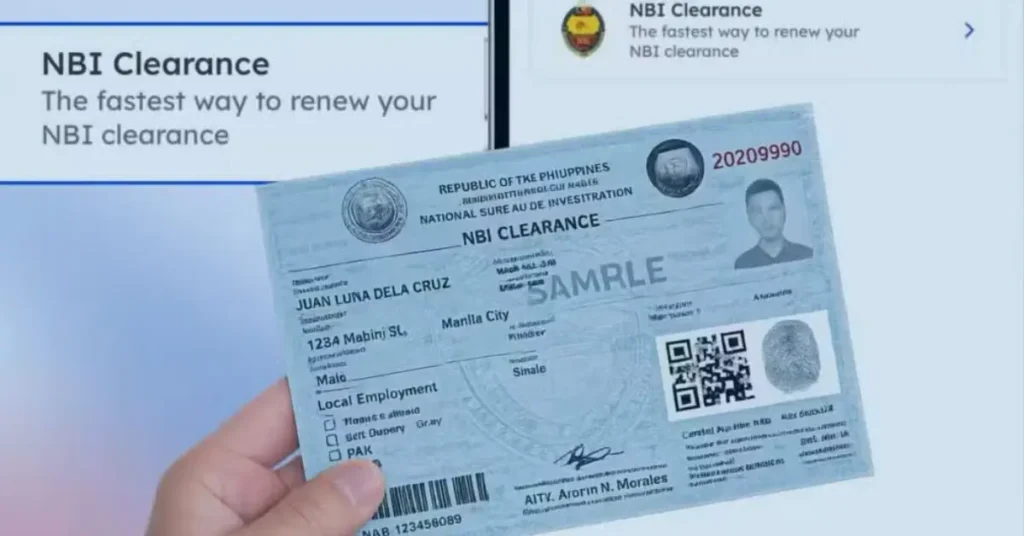
What is the NBI eClearance Service?
The NBI eClearance is an online renewal service available through the eGovPH Super App.
Through this service, eligible users can:
- Renew their NBI Clearance online
- View a verified digital copy of their renewed clearance
- Retrieve their latest issued NBI Clearance
- Choose between home delivery or office pickup for the physical copy
Who Can Renew Their NBI Clearance Online?
According to the NBI, the online renewal service is available to:
- Individuals who are eligible to renew their existing NBI Clearance
- Users with a verified eGovPH account
Applicants must first verify their eGovPH account before using the online renewal service.
How to Renew Your NBI Clearance Online
Follow these steps to renew your NBI Clearance through the eGovPH Super App:
- Open the eGovPH Super App and log in to your account.
- Tap NGAs and select National Bureau of Investigation (NBI).
- Choose NBI Clearance.
- Review your existing digital NBI Clearance. The app will indicate if it has already expired.
- Enter or update your personal information, including your place of birth and other required details.
- Review all the information on the summary page.
- Check the certification box to confirm that all information is correct.
- Tap Renew Clearance.
- Choose your preferred release option:
- Door-to-Door Delivery
- For Pick-up at your selected NBI office
- If you selected home delivery, provide your complete delivery address.
- Choose your preferred payment method and complete the payment.
Once your payment is confirmed and the NBI completes the processing of your application, your renewed NBI Clearance will either be delivered to your address or made available for pickup. The verified digital copy will also be updated in the eGovPH Super App.
Important Reminder
Before submitting your application, make sure that all personal information is complete and accurate.
Incorrect or incomplete information may delay the processing of your NBI Clearance renewal.
The DICT and NBI encourage Filipinos to use the eGovPH Super App to make government transactions faster, more secure, and more accessible.